Prompt Smarter. Get Better Results.

Learn how to write clear, effective prompts that help your AI coworkers understand exactly what you need. Whether you're building websites, creating graphics, or writing content, better prompts lead to faster, more accurate, and higher-quality results.

Learn to Prompt

Why Good Prompts Matter

Clear Instructions

Well-written prompts help AI understand your request, reducing confusion and improving the final output.

Better Results

The more specific your prompt is, the more accurate, detailed, and useful the AI's response becomes.

Save Time

Providing clear requirements from the start reduces revisions and helps you get the right result faster.

Higher Quality Output

Detailed prompts allow AI to generate content, designs, and websites that closely match your vision.

The Perfect Prompt Formula

Six ingredients. One clear result.

01

Goal

Tell the AI exactly what you want it to create.

02

Context

Provide background information so the AI understands your situation.

03

Audience

Explain who the final content or design is intended for.

04

Style & Tone

Describe the desired style, personality, colors, or writing tone.

05

Requirements

Include important details such as layout, length, sections, features, or branding.

06

Examples

If possible, provide examples to help the AI understand your expectations.

Prompt Examples

See what a well-built prompt actually produces.
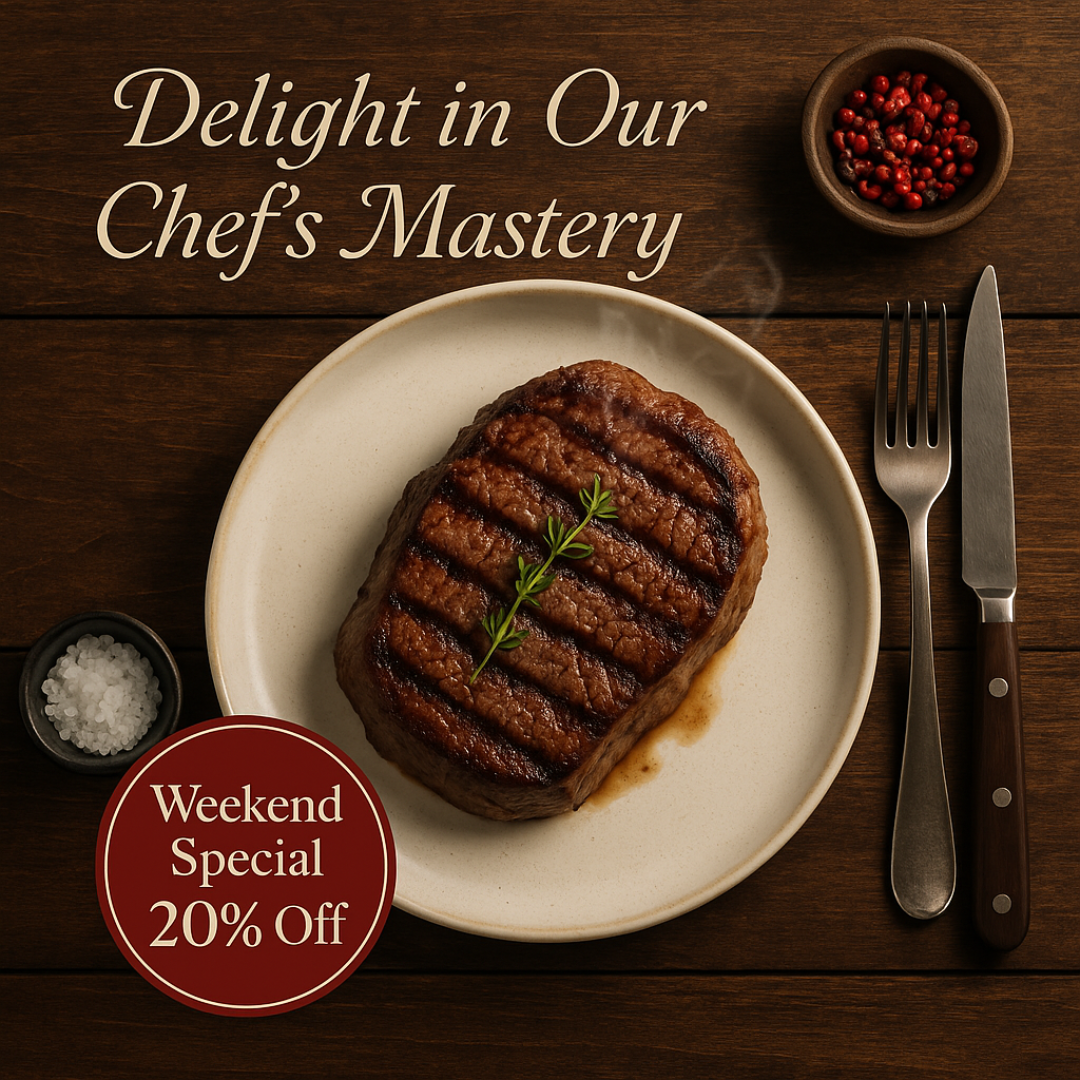
Steak dinner Instagram post with Weekend Special 20% Off badge, generated from the prompt below
PrimeNest Realty luxury real estate flyer generated from the prompt below
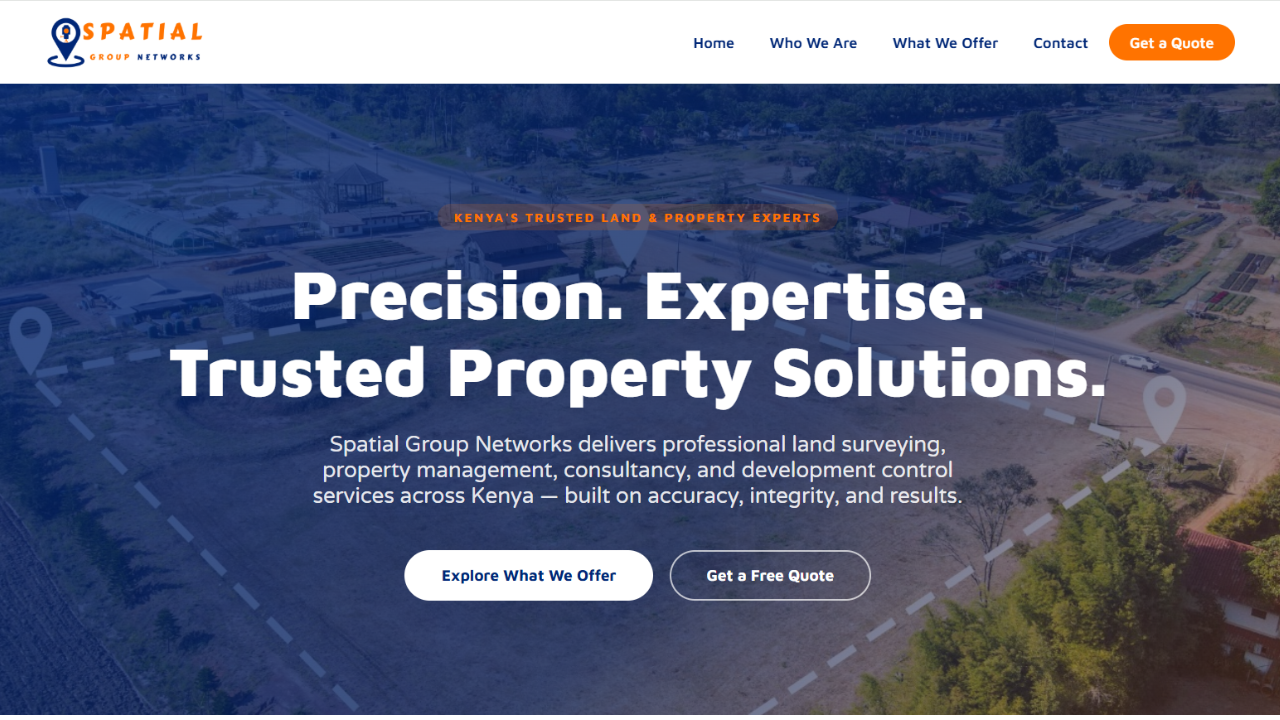
Spatial Group Networks website hero section generated from the prompt below
Social Media Creative Prompt used
"Create for me an Instagram post showing a beautifully plated steak dinner on a wooden table, steam rising, a small visible badge reading 'Weekend Special 20% Off', warm restaurant lighting. Use the brand guidelines for my brand."
Flyer Prompt used
"Generate a flyer for
Company Name: PrimeNest Realty
Business: A real estate company specializing in luxury homes, apartments, and property investments in prime locations
Use my brand from settings in Ndovesha."
Website Prompt used
"Create a website and ensure the following is followed well. Use my brand from settings in Ndovesha.
1. User attached images as named for home hero section and services pages (You can use the same photos interchangeably in any other sections where you need photos), don't pick any other photos outside these. Ensure the services menu has a drop down of the 4 services and a page for each
2. Ensure the header menu is a white background for better visibility of the logo
3. For contacts and social media use as follows: Phone/WhatsApp: +254 116 969 183, Facebook: https://web.facebook.com/spatialgroupnetworks, Instagram: https://www.instagram.com/spatial_group_networks/, LinkedIn: https://www.linkedin.com/company/spatial-group-network/, Email address: [email protected], Location: The 222 Address, Eastern Bypass. Ensure proper icons are used where needed in contacts and socials."

Prompting Tips

Be Specific

Clearly explain exactly what you need instead of using vague instructions.

Give Context

Help the AI understand your business, project, or goal.

Know Your Audience

Mention who the content is intended for so the AI can adjust its tone and style.

Describe Your Style

Tell the AI if you want the output to be professional, modern, minimal, friendly, or creative.

Include Important Details

Mention colors, branding, layout, word count, platform, or any special requirements.

Improve and Refine

Review the output and update your prompt with more details if needed to achieve even better results.

Common Prompting Mistakes

Too Vague

Avoid prompts like "Make me a website." Be specific about what you need.

Missing Details

Leaving out important information often leads to incomplete or generic responses.

Too Many Requests

Focus on one clear objective instead of combining several unrelated tasks into a single prompt.

No Target Audience

Always mention who the content is for so the AI can generate the most relevant output.

Start Prompting Like a Pro

Unlock the full potential of Ndovesha AI by writing smarter prompts that generate faster, more accurate, and higher-quality results every time.

Start Creating

Frequently Asked Questions

What is a prompt?

A prompt is the instruction or request you give an AI to generate content, designs, websites, or other creative work.

Why do detailed prompts produce better results?

Detailed prompts give the AI more context, helping it generate more accurate and relevant responses.

Can I edit my prompt after generating a result?

Yes. You can refine your prompt and regenerate improved results whenever needed.

Do I need technical knowledge to write prompts?

No. Anyone can write effective prompts by clearly describing what they want and providing useful details.

Can I use the same prompting techniques for every AI coworker?

Yes. Whether you're using Website Design, Graphic Design, or Writing AI coworkers, the same prompting principles apply.

How can I get the best AI responses?

Be specific, provide context, define your audience, describe the style you want, and include any important requirements.

Chat with us